Monorepos
A common pattern in modern web development is the monorepo — a single repository containing multiple distinct projects. Since a monorepo can be associated with many Chromatic projects, there are a few tips to help you use Chromatic with a monorepo.
Chromatic doesn’t assume anything about how you run the CLI. This means you can run it from within any project or subproject, as long as you pass the correct project token.
Running Chromatic for more than one subproject’s Storybook
You can have multiple linked subprojects in Chromatic for any given repository, so if you want to run Chromatic for more than one subproject, you have two options:
Combine multiple projects into a single Storybook
A common approach that works well for many teams is to combine multiple subprojects’ Storybooks into a single Storybook. When you run Chromatic on the principal Storybook, you test all stories in a single Chromatic project.
For example, you could write in your .storybook/main.js|ts:
// Replace your-framework with the framework you are using (e.g., react-webpack5, vue3-vite)
import type { StorybookConfig } from '@storybook/your-framework';

const config: StorybookConfig = {
  stories: ['../project-1/**/*.stories.js', '../project-2/**/*.stories.js'],
};

export default config;
Often teams find a single Storybook for all their development works quite well, too!
Run Chromatic for each subproject
In Chromatic, a project is typically linked to a Git repository and will synchronize permissions from the permissions of that repository, as well as post build status messages to the repository’s pull/merge requests.
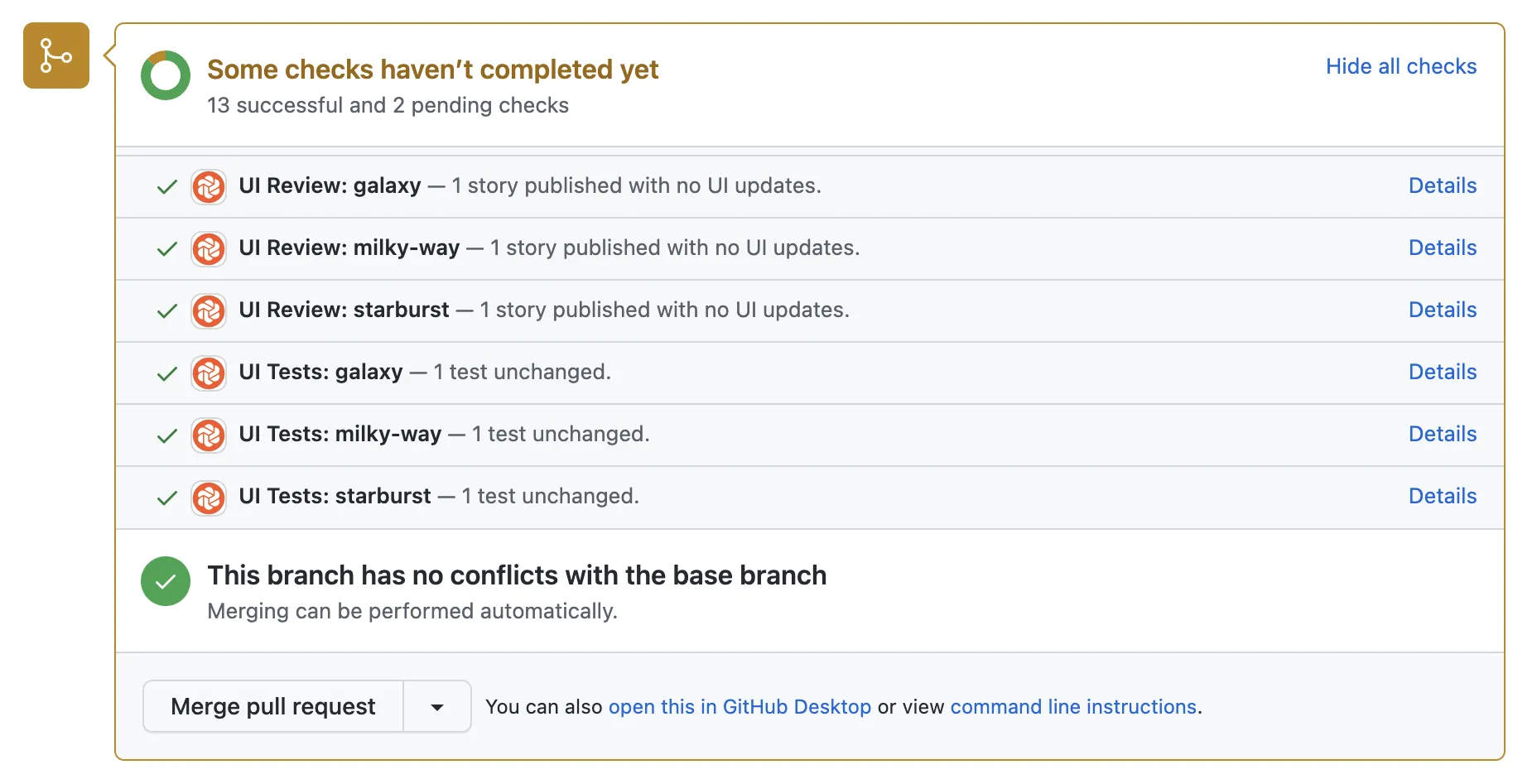
Each subproject in a monorepo can now be associated with a separate Chromatic project that adds additional build statuses to the repository’s pull/merge requests. Here’s how to set it up.
-
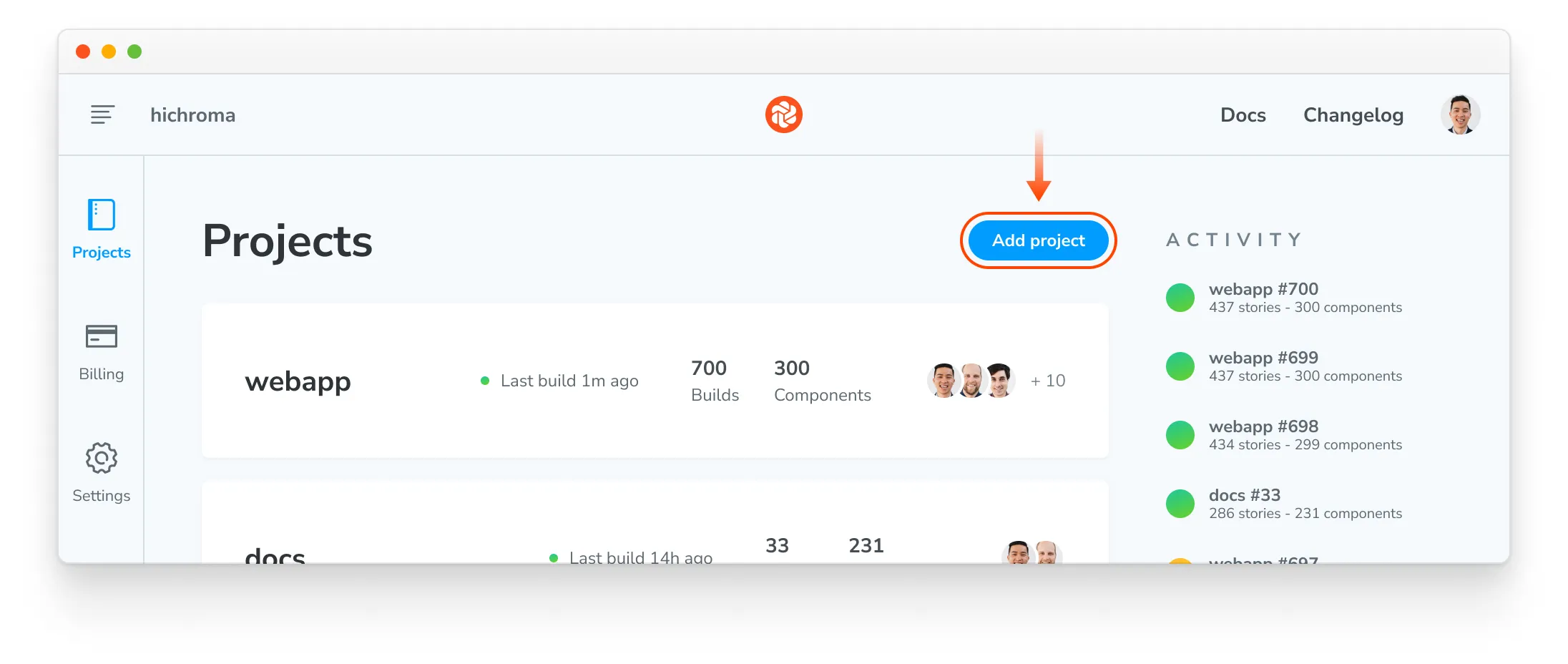
Open your Chromatic app, browse to your account, and press the “Add project” button:
-
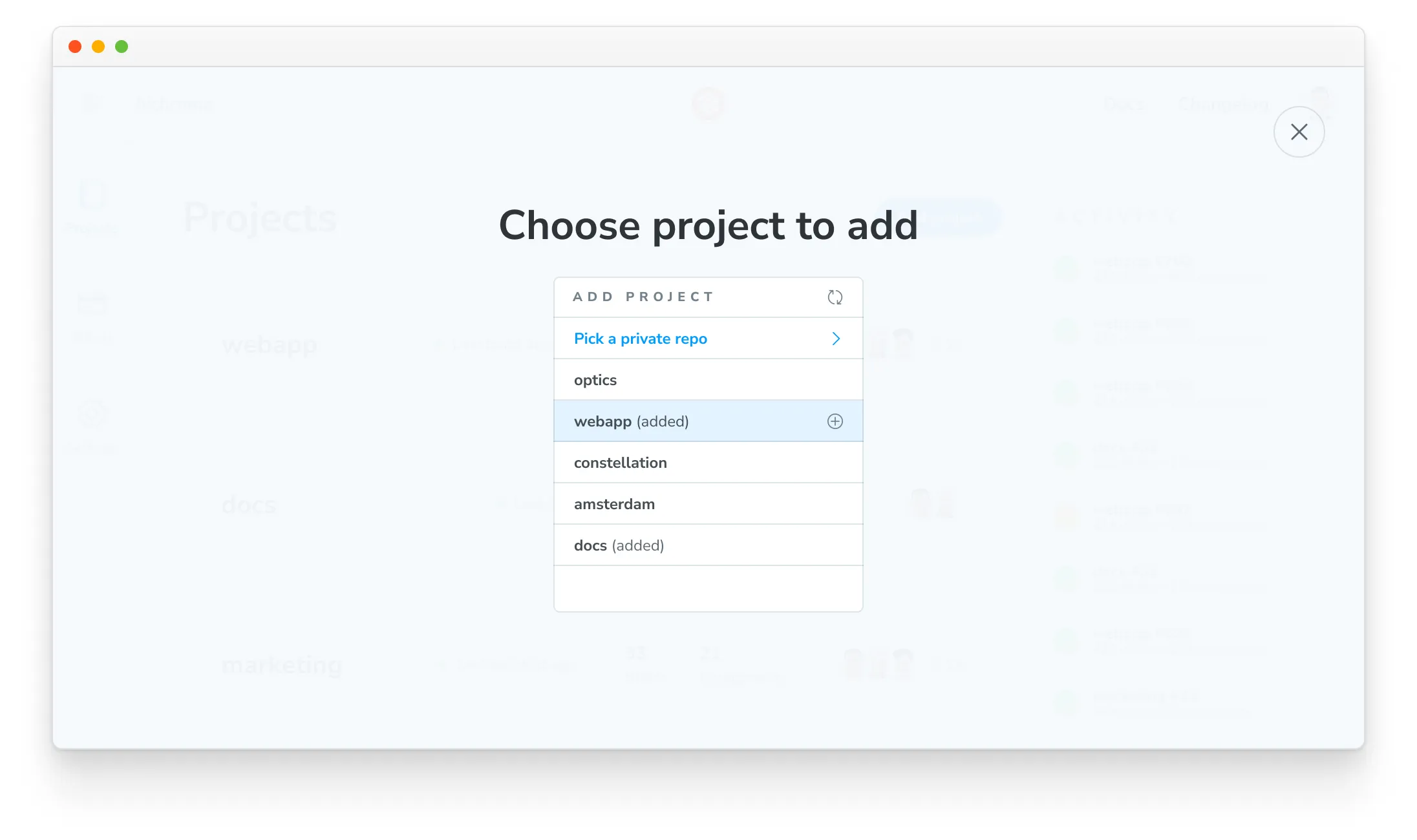
Choose your monorepo repository a second time:
-
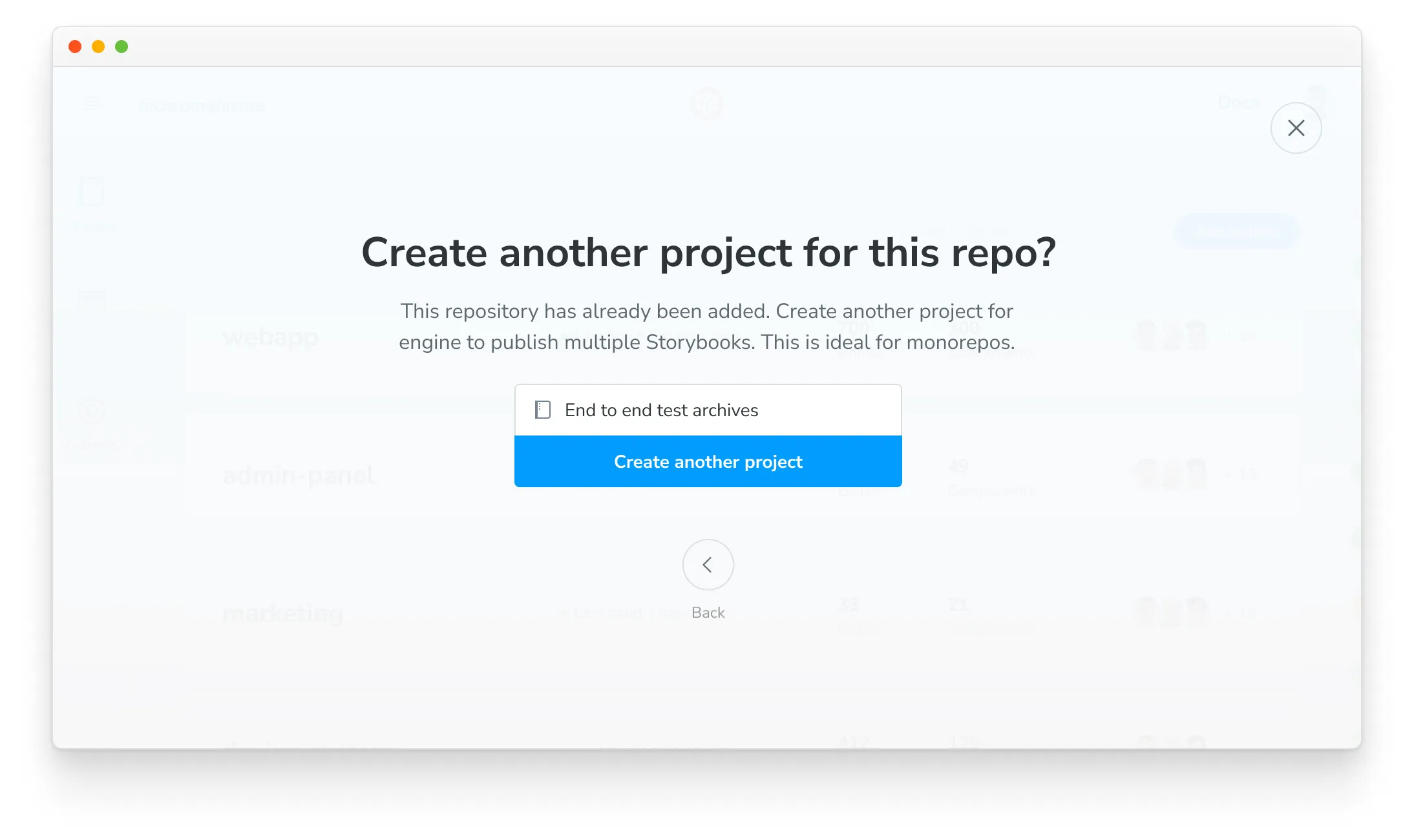
Choose a name for your new project:
-
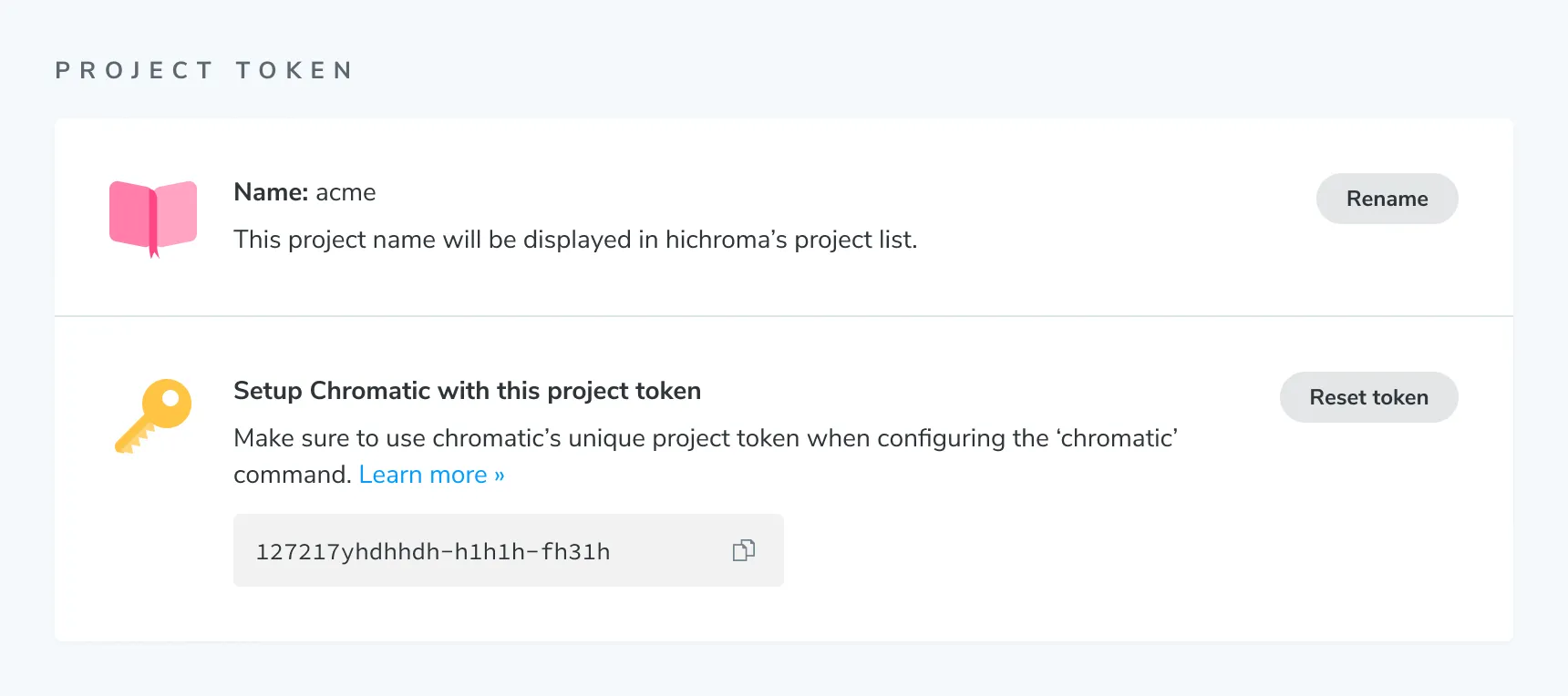
Take note of the token for the new project. You can also find it on the project’s manage page:
-
Paste the
project-tokenin your CI step to run Chromatic for that subproject. Below are examples with popular CI services.
Every monorepo subproject will get build statuses posted to the pull/merge request. In CI, you’ll need to add a step for each project and use the specific project token for that project.
Only run Chromatic when changes occur in a subproject
If your monorepo consists of both UI and backend subprojects, it is common to have commits that do not touch the UI at all. In such cases, running Chromatic on those commits makes little sense.
You can use tools like lerna changed to detect such situations (depending on how you’ve set up your monorepo).
If you want to get a Chromatic PR badge for such commits (for instance, if you block merging on Chromatic builds), you can use the --skip CLI flag to indicate that this commit does not need to be built and tested.
How do I use Lerna changed to skip changes in a branch or skip certain builds?
Please refer to the lerna docs for up-to-date info. Here’s a sample workflow:
-
Install Lerna globally:
npm install -g lerna -
Initialize Lerna:
lerna init -
Configure
lerna.json(replace<your-branch-name>with the branch name you want to skip):lerna.json{ "command": { "changed": { "ignoreChanges": "<your-branch-name>" } } } -
Run
lerna changed
If you want to skip a certain build, you can use the --ignore flag with the build command.
For example: lerna run build --ignore <package-name>.
Advanced configuration
Run tests on a subset of stories
If you are combining multiple Storybooks into one (see above), but detected that only a subset of projects has changed, you can instruct Chromatic to capture and test that particular subset of stories as follows:
- Recommended: Use TurboSnap to automatically only snapshot stories for which related source files have changed.
- Use
--only-story-filesto only snapshot stories matching a glob pattern by story file name. - Use
--only-story-namesto only snapshot stories matching a glob pattern by component/story name.
In each case, matching stories will not be captured again; instead, we assume they have not changed and copy the previous snapshot of the story (from one of the ancestor builds). Note that you cannot use both --only-story-files and --only-story-names in the same build, as they conflict.
With TurboSnap
TurboSnap is an excellent feature for monorepos, helping avoid re-snapshotting all components across all projects when changes occur.
The --untraced CLI flag can be used to ignore all changes outside of a package or related packages. For example, given a monorepo with unrelated packages UI and app, you can add the following CLI option to UI’s Chromatic command to only run snapshots when files inside the UI package change: --untraced \"./packages/!(UI)/**\".
Note that the glob pattern starts at the repository’s root directory, not in the UI package directory. You can also specify --untraced multiple times to include multiple glob patterns. Setting --working-dir does not change that, and other path options resolve differently — see TurboSnap config paths.
npx chromatic --only-changed --untraced=package.json,yarn.lock --exit-zero-on-changesSome monorepo setups manage third-party dependencies at the root level (so all dependencies in the monorepo have consistent versions). You may wish to ignore these root-level files (e.g., lockfile) to avoid unnecessary snapshots, but be aware that changes can go unnoticed.
With onlyStoryFiles
The --only-story-files flag accepts a glob and can be specified multiple times. Any story files (e.g., Example.stories.js) that match the glob will have all of their stories captured and tested.
npx chromatic --only-story-files "./src/components/**/.stories.js" --only-story-files "./shared/**/*.stories.js"With onlyStoryNames
The --only-story-names flag accepts a glob and can be specified multiple times. Any component/story name (e.g., Forms/Button/*) that matches the glob will have all of its stories captured and tested.
npx chromatic --only-story-names "Forms/**" --only-story-names "**/Header/*"This would match all stories for all components under “Forms” (i.e., any story file whose title path starts with “Forms”), as well as all stories for the “Header” component, regardless of where it is in the hierarchy (i.e., any story file whose title path ends with “Header”). Again, make sure to use quotes around glob patterns.
Building a subset of your stories
With the removal of the --preserve-missing flag, building a partial Storybook containing a subset of your stories is no longer recommended. Publishing a Storybook with missing stories will mark those stories as “removed”.
Troubleshooting
Why am I not seeing my monorepo subproject listed in my pull request checklist?
When using an existing project that is part of the monorepo and requiring PR checks for merging, you will need to remove and re-add them within your Git provider as the name linked to the check will have changed. It also applies if a subproject is renamed.
Why is my monorepo project triggering a full rebuild?
If TurboSnap is enabled in a monorepo project, file changes that affect one package will automatically trigger a full rebuild across all related projects when running Chromatic. Read more about how to ignore changes in unrelated packages above.